In short: A remote MySQL connection means connecting to the MySQL or MariaDB database on your hosting account or server from an application that does not run on the same server, such as a reporting tool in your office or a desktop database client. The key to doing it safely is simple: do not open the database port to the whole internet, limit access to one IP address and only the privileges that are needed, and encrypt the traffic with TLS or an SSH tunnel.
Power BI, Excel, an accounting integration or an application on another server may need the data in your website's database. This article explains how remote access works, which method fits which situation and which security steps you should not skip when you open the connection.
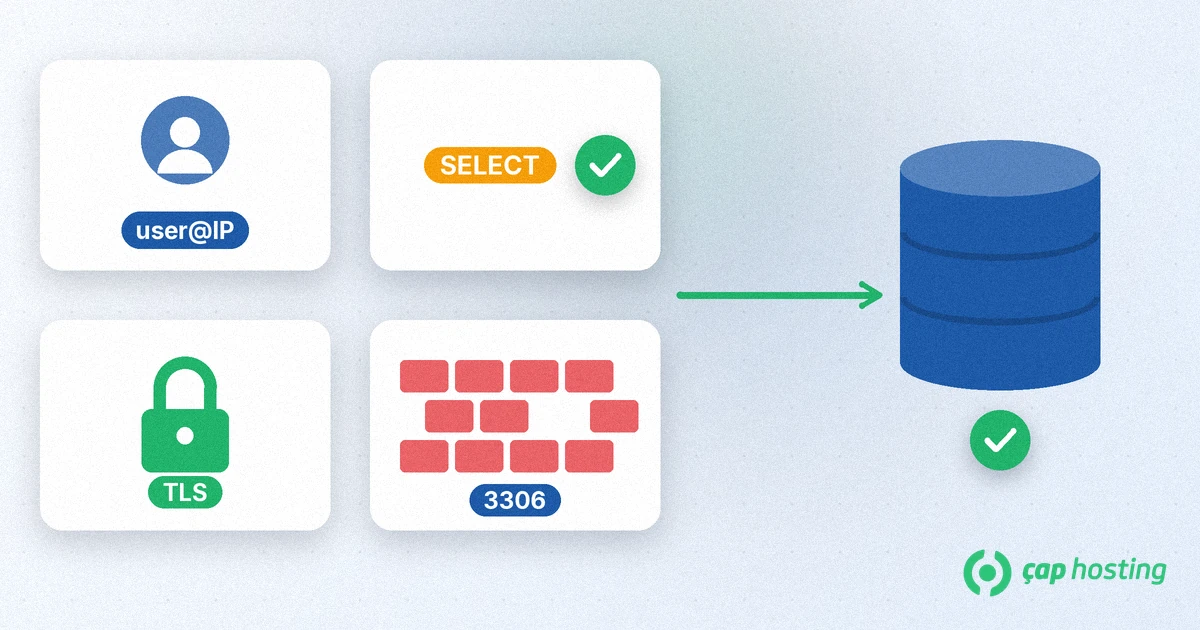
A website usually connects to its database from the same server, through localhost. With a remote connection the client is on another machine and reaches the database server over the network, by default on TCP port 3306. Typical reasons are:
Your engine may be MySQL or MariaDB. The connection logic is largely the same for both; if you are curious about the differences, read our MySQL vs MariaDB article.
According to MariaDB's remote client access guide, many installations only listen for local connections: the configuration contains bind-address = 127.0.0.1 or skip-networking, which turns off network listening completely. This is a deliberate security choice. A database port that is open to the internet becomes a direct target for password guessing and software vulnerabilities.
Remote access needs three layers to be set up together: the database must listen on a network interface, the user must be allowed to log in from that address, and the server and network firewalls must allow the traffic. If one of them is missing, the connection fails. If all of them are opened wider than necessary, the connection works but the risk grows.
There are two common methods:
On shared hosting plans, whether remote database access is available and how it is allowed depends on the service. If you are not sure, ask first by opening a support ticket before you change anything. On a VPS or server you can follow the steps below yourself.
You need SSH access to the server for this method. If SSH is new to you, start with our guide what is SSH and how to connect; using an SSH key instead of a password makes it more secure.
-L option of ssh forwards connections to port 3307 on your computer to port 3306 on the server itself.ssh -L 3307:127.0.0.1:3306 user@server-address127.0.0.1 as the host and 3307 as the port in your database client. From the command line you can connect like this:mysql -h 127.0.0.1 -P 3307 -u report -pWith this method the database still listens only for local connections. The only door visible from outside is SSH, and you protect it with a key.
If an always-on service needs a direct connection, follow this order:
bind-address to the network address you want the server to be reached on and remove skip-networking if it is there. Then restart the database service.'user'@'host'. Write the allowed address explicitly and do not use the '%' wildcard. In the example below, 203.0.113.10 is an address reserved for documentation:CREATE USER 'report'@'203.0.113.10' IDENTIFIED BY 'a-strong-password';
GRANT SELECT ON sales.* TO 'report'@'203.0.113.10';SELECT is enough. Do not use the site's own admin account for remote access.ALTER USER 'report'@'203.0.113.10' REQUIRE SSL;bind-address setting is stopping the traffic.Delete remote accounts you no longer use, change passwords regularly and watch the database logs for unexpected login attempts. A separate user for reporting also lets you close only that account if something goes wrong. Remote access makes data usable, but it does not replace backups; for a regular backup plan see our backup strategy article.
To sum up: use an SSH tunnel when you can; if a direct connection is required, tie the account to one IP address and the minimum privileges, require TLS and allow only that address in the firewall.
MySQL and MariaDB use TCP port 3306 by default. The port can be changed; if your server configuration uses a different port, use that one in the client too.
Yes. '%' means the account can log in from any IP address, which invites password guessing attacks. Use one IP address where possible, or an SSH tunnel.
No. With a tunnel the database is only reached from inside the server; the only port open to the outside is the SSH port.
It does if the tool supports a MySQL connector. Create a separate user with only SELECT privileges for reporting and encrypt the connection.
 Copyright © 2026 All Rights Reserved

 Turkey (Türkçe)
 Worldwide (English)