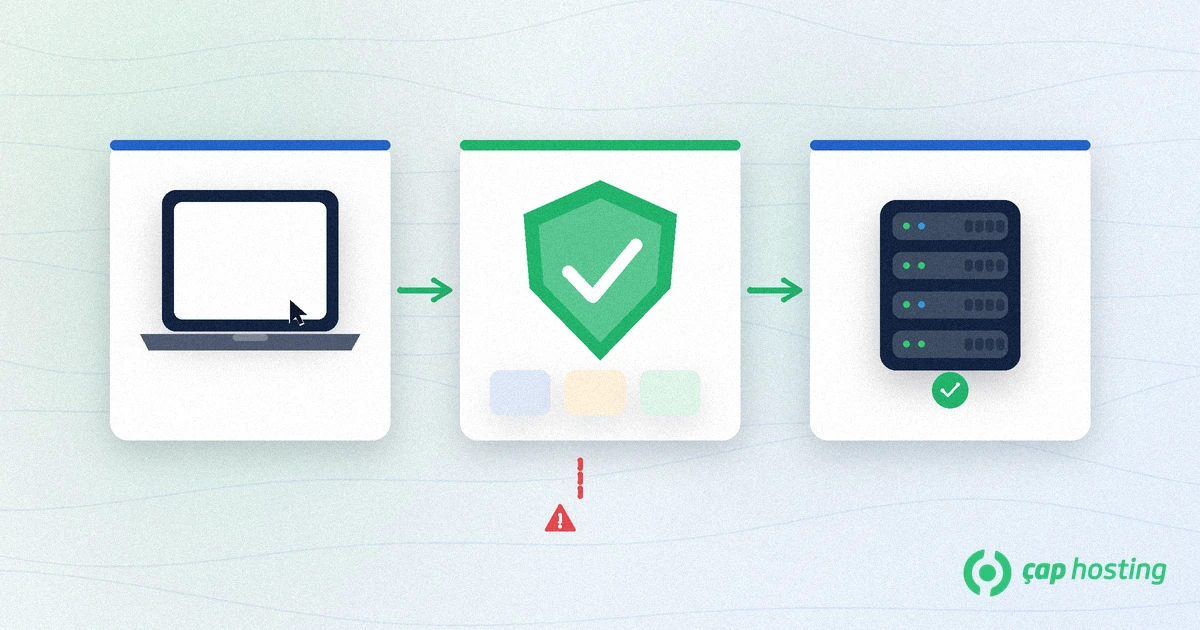
In short: What is a WAF? A Web Application Firewall inspects HTTP/HTTPS requests before they reach your app and blocks malicious patterns. Unlike a classic network firewall, it looks at application-layer (Layer 7) details such as URLs, form fields and headers.
A classic firewall mostly decides on IP, port and protocol. A WAF inspects request content: suspicious SQL patterns, XSS probes, odd payload sizes or known bot signatures. That is why “what is a WAF” shows up in hosting and WordPress security talks — many attacks arrive through forms, not open ports.
A WAF can sit in the cloud (in front of a CDN), as a reverse proxy or as a server agent. The shared idea is an inspection point between visitor and application. With TLS you usually terminate HTTPS at the edge so the WAF can see plaintext — see our guide on what an SSL certificate is.
OWASP documents application attacks such as XSS. A WAF cuts some of that traffic at the edge but does not replace input validation or secure coding. For WordPress hygiene see our WordPress security checklist.
We covered HTTPS cutover in the HTTP to HTTPS migration guide. For a vendor-neutral primer, Cloudflare’s WAF glossary page is useful.
After enabling a WAF, watch block rate, false-positive reports and origin CPU/bandwidth. A sudden zero block rate may mean stale rules or bypass. If origin load does not fall, attacks may hit a leaked origin IP. Those metrics turn “what is a WAF” from theory into operations.
Review rule sets and allowlists every quarter. Temporary exceptions tend to become permanent. Keep backups independent of the WAF — edge filtering does not replace restore drills.
“A WAF replaces SSL” is false — encryption and application filtering are different jobs. “A WAF alone stops all DDoS” oversells it; volumetric attacks still need network/CDN capacity. “Set and forget” breeds stale rules and piled-up false positives. An honest answer to what is a WAF includes those limits.
In short, answering what is a WAF is not memorising a product name — it is choosing to filter HTTP in front of the app on purpose. Watch rules, keep exceptions narrow, keep backups, and never outsource patching to the WAF alone. That discipline turns edge filtering into a real security layer.
ÇAP Hosting hosting plans and security articles help you harden sites. Unsure about WAF or SSL? Contact us.WAF logs usually include client IP, path, method, matched rule id and action (allow / detect / block). Run detect mode for the first week and watch which rules hit legitimate traffic. Checkout return URLs, webhooks and long POST bodies from rich editors are common false positives.
When you allowlist, keep it narrow: a path or a signed bot user-agent — not the whole site. After every change, re-test the same scenario yourself instead of assuming “it looks fine”.
Many hosting customers enable the WAF at the CDN edge so attacks die before they burn origin CPU and bandwidth. Agent-style WAFs on the server still help if the origin IP is exposed behind the CDN. For most SME sites, edge WAF + server firewall + regular backups is a solid trio.
Remember: answering “what is a WAF” is not the same as finishing security. Unpatched plugins, weak admin passwords and open XML-RPC endpoints remain risky even with a WAF. Pair edge filtering with application hygiene.
A security layer that filters HTTP requests with rules so malicious traffic never reaches your application.
No. Firewalls cover ports/IPs; WAFs cover the application layer. They complement each other.
No. Any site with forms, APIs or an admin panel can benefit.
No. It blocks many attempts but does not replace secure code and validation.
 Copyright © 2026 All Rights Reserved

 Turkey (Türkçe)
 Worldwide (English)