In short: Swap is disk space the kernel moves rarely used memory pages to when RAM fills up. The most practical way to create swap space on Linux is to add a swap file: create the file with dd, set its permissions to 600, prepare it with mkswap, enable it with swapon and add it to /etc/fstab to make it permanent.
Swap is not a replacement for RAM; disk is far slower than memory. On a VPS with little memory, however, it gives you a safety margin that keeps processes from being killed for lack of memory during sudden load spikes. To keep an eye on memory usage regularly, see our guide on monitoring server resource usage.
sudo privileges.swapon --show prints nothing, no swap is active. The Swap: line in the free -h output also shows total and used swap.df -h /swapon may not be allowed. In that case swap is managed by the server provider.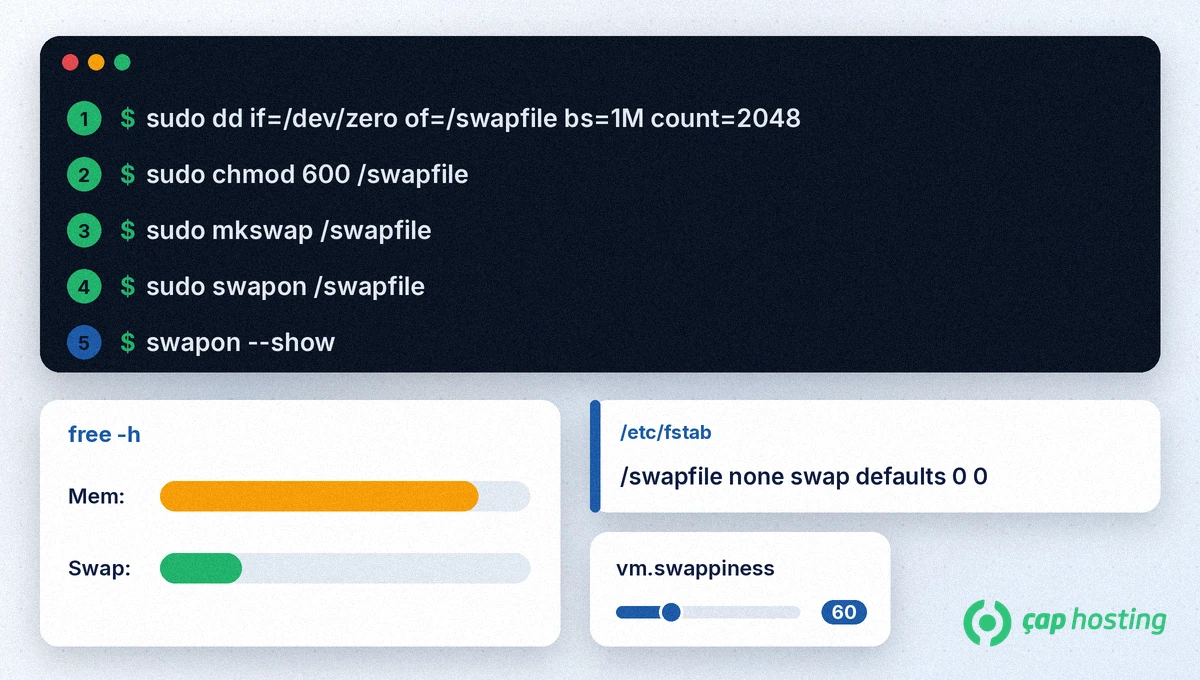
1. Create the file. The command below creates a 2 GiB (2048 × 1 MiB) file filled with zeros. Change the size with the count value:
sudo dd if=/dev/zero of=/swapfile bs=1M count=2048fallocate is faster, but according to the swapon manual swapon rejects files with holes, and files preallocated with fallocate may be treated that way depending on the filesystem. Using dd is the most portable method. On Btrfs, the swap file must also be created with copy-on-write disabled (nocow).
2. Restrict the permissions. The swap file holds memory contents, so only root should be able to read it:
sudo chmod 600 /swapfile3. Set it up as swap space.
sudo mkswap /swapfileThe output contains a line similar to Setting up swapspace version 1, size = 2 GiB. mkswap only prepares the area; it does not enable it.
4. Enable and verify.
sudo swapon /swapfile
swapon --show
free -h
In the swapon --show output you should see a /swapfile line with file in the TYPE column, and the Swap: line of free -h shows the new size.
Swap enabled with swapon is turned off again on reboot. To make it permanent, first back up the fstab file, then add the line:
sudo cp /etc/fstab /etc/fstab.bak
echo '/swapfile none swap defaults 0 0' | sudo tee -a /etc/fstab
In this line, none means there is no mount point and swap is the type. After the next reboot, use swapon --show to check that swap came up automatically.
vm.swappiness controls how readily the kernel turns to swap under memory pressure. According to the kernel documentation, the value ranges from 0 to 200 and the default is 60. To see the current value:
cat /proc/sys/vm/swappinessLowering the value makes the kernel keep data in RAM for longer. For example, to set it to 10 temporarily, run sudo sysctl vm.swappiness=10. To make it permanent, put the line vm.swappiness=10 in /etc/sysctl.d/99-swappiness.conf and run sudo sysctl --system. The best value depends on your workload, so monitor performance after changing it.
If you no longer need the swap, turn it off first, then delete the /swapfile line from /etc/fstab and remove the file:
sudo swapoff /swapfile
sudo rm /swapfile
After adding swap, also review the Linux server hardening steps to keep your server secure. If swapon does not work on your VPS, you can reach us by opening a support ticket.
There is no one-size-fits-all formula. Swap is meant to absorb short RAM overflows. For a VPS with little memory, a few GiB is often enough to start; if free -h shows swap usage staying high, consider adding RAM rather than growing swap.
Because disk is much slower than RAM, heavy swap use reduces performance. Having swap does not cause slowness on its own, though; it is a safety margin against processes being killed when memory runs out.
It works on some filesystems, but the swapon manual notes that files preallocated with fallocate may be treated as files with holes and rejected, depending on the filesystem. dd is the most portable method.
A swap file can be added and resized without changing the disk partitions, which makes it the most practical choice on a VPS. A separate swap partition does the same job but is harder to change later.
 Copyright © 2026 All Rights Reserved

 Turkey (Türkçe)
 Worldwide (English)