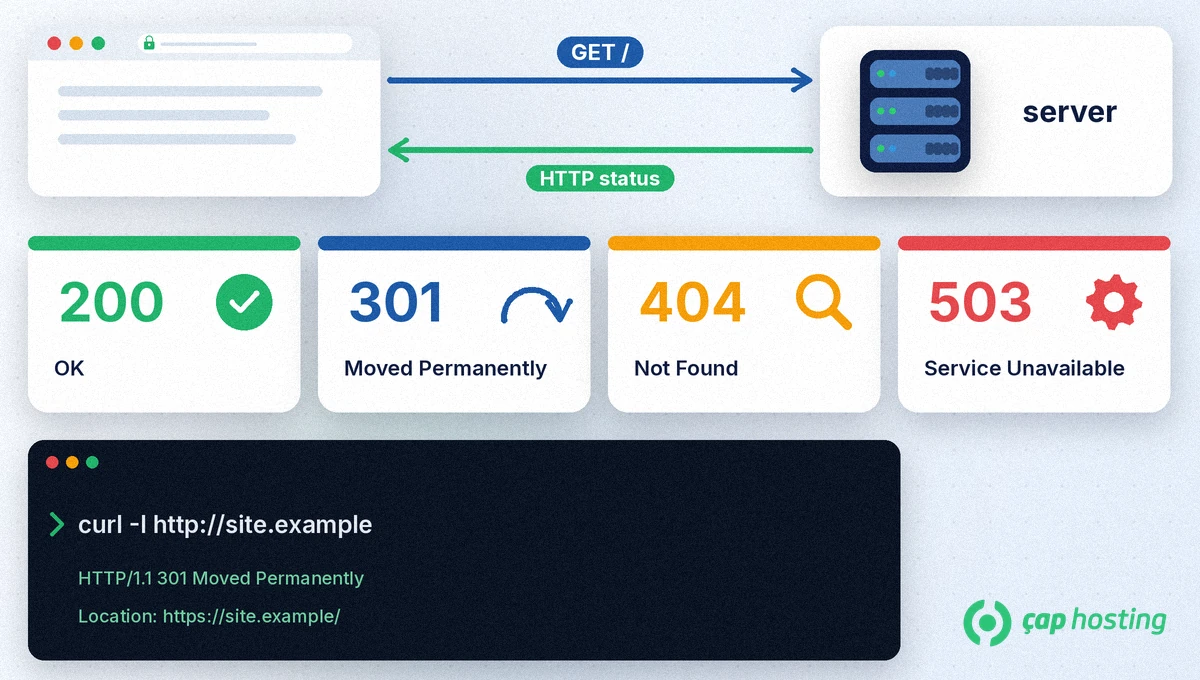
In short: HTTP status codes are the three-digit responses a server returns for every request, and they show whether the request succeeded. The first digit gives the class: 2xx success, 3xx redirection, 4xx client error and 5xx server error. The codes you will see most are 200, 301, 404, 500 and 503, and you can check a page's code in your browser's developer tools or with the curl -I command.
When your browser requests a page, the server sends back a status line along with the content. The three-digit number in that line is the status code. RFC 9110 groups status codes into five classes by their first digit:
| Class | Meaning |
|---|---|
| 1xx | Informational: the request was received and is being processed |
| 2xx | Successful: the request was received, understood and accepted |
| 3xx | Redirection: another address is needed to complete the request |
| 4xx | Client error: something is wrong with the request or the resource was not found |
| 5xx | Server error: the request was valid but the server could not respond |
The status code and what you see on screen do not always tell the same story. Some sites, for example, return a "page not found" message with a 200 code, and Google reports this in Search Console as a soft 404. So when you investigate a problem, look at the code the server returns, not only at the message on the page.
| Code | Name | What it means |
|---|---|---|
| 200 | OK | The page was returned without problems. |
| 301 | Moved Permanently | The page has moved to a new address for good. |
| 302 | Found | A temporary redirect; the original address stays the same. |
| 304 | Not Modified | The page has not changed, so the browser can use its cached copy. |
| 403 | Forbidden | The server understood the request but refuses access. |
| 404 | Not Found | There is no resource at the requested address. |
| 410 | Gone | The resource has been removed permanently. |
| 429 | Too Many Requests | Too many requests were sent in a short time. |
| 500 | Internal Server Error | An unexpected error occurred on the server. |
| 502 | Bad Gateway | A server in between received an invalid response from the server behind it. |
| 503 | Service Unavailable | The server cannot respond for now (maintenance or overload). |
| 504 | Gateway Timeout | A server in between did not get a response in time from the server behind it. |
curl -I https://yourdomain.com fetches only the response headers. The first line shows the status code, and for redirects the Location line shows the target address.According to Google Search Central, a 301 is a strong signal that the target address should be used, while a 302 is a weak signal. Addresses that return 4xx (except 429) are not indexed, and indexed ones are removed over time. 5xx and 429 responses make Google slow down crawling temporarily, and addresses that keep returning server errors are eventually dropped from the index. That is why using 503 for planned maintenance, keeping maintenance short and using 301 for moved pages is the right approach.
301 is a permanent redirect and 302 a temporary one. Use 301 when the page has really moved to its new address; 302 suits a short-term redirect.
It is normal for deleted or never-existing addresses to return 404. The problem is when your own site links lead to a 404; fix those links or redirect them with a 301.
503 Service Unavailable is the right code for temporary maintenance. Keep it short, because Google may eventually drop addresses that stay unavailable for a long time.
 Copyright © 2026 All Rights Reserved

 Turkey (Türkçe)
 Worldwide (English)