In short: A CAA record is a DNS record that states which certificate authorities (CAs) may issue SSL certificates for your domain. Without a CAA record, any public CA may issue; when you add, for example, CAA 0 issue "letsencrypt.org", only Let's Encrypt may issue. The record reduces the risk of a certificate being obtained from another CA by mistake or with bad intent.
CAA (Certification Authority Authorization) is a DNS record type defined in RFC 8659. Certificate authorities check this record before issuing a certificate for a domain, and a CA that is not listed refuses to issue. According to the Let's Encrypt documentation, if there is no CAA record, any public CA may issue. For the other record types, see our DNS records guide; for the certificate itself, see what an SSL certificate is.
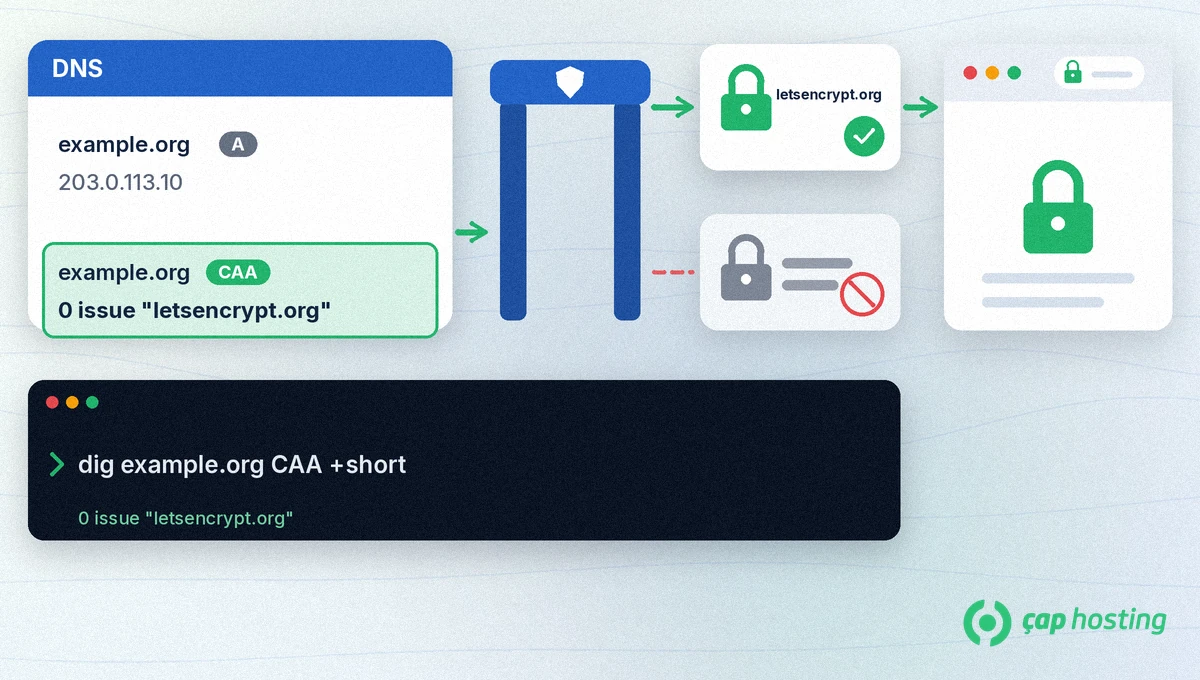
A CAA record has three parts: CAA <flags> <tag> <value>.
0. The value 128 means "critical": if the CA does not understand the tag, it does not issue.issue authorises normal certificates, issuewild authorises wildcard certificates (*.yourdomain.com).Example: example.org. CAA 0 issue "letsencrypt.org". If you add several CAA records, the permissions add up; each record authorises one more CA. Subdomains use the CAA record closest to them in the name tree: if www.example.org has no record, the record on example.org applies. If you add a CAA record to a subdomain, it replaces the one above it. For names that point elsewhere with a CNAME, the CAA records at the target are also taken into account.
| Certificate authority | CAA value |
|---|---|
| Let's Encrypt | letsencrypt.org |
| Google Trust Services | pki.goog |
| Sectigo | sectigo.com |
| SSL.com | ssl.com |
The values in the table come from the Let's Encrypt and Cloudflare documentation. If you use another CA, take the correct value from that CA's own documentation.
openssl s_client -connect example.org:443 -servername example.org </dev/null 2>/dev/null | openssl x509 -noout -issuer. The organisation in the output is the issuing CA.dig example.org CAA +short lists them; empty output means there is no CAA record. Our guide to DNS checks with dig and nslookup explains the command.dig example.org CAA +short again; the output should look like 0 issue "letsencrypt.org".According to the Cloudflare documentation, when you add any CAA record to a domain that uses Universal SSL, Cloudflare automatically adds CAA records for the CAs it uses. These records do not appear in the dashboard but do appear in dig output, so seeing records you did not add yourself is normal.
No. Without a CAA record, any public CA may issue certificates. The record is an extra safeguard for owners who want to limit which organisations can issue.
Your current certificate keeps working. But if the issuing CA is not listed, the next renewal or a new certificate request is refused.
No. Subdomains use the closest CAA record in the name tree. If you want a different rule, you can add a record to the subdomain itself.
 Copyright © 2026 All Rights Reserved

 Turkey (Türkçe)
 Worldwide (English)