In short: Domain status codes (EPP status codes) are short labels that show which actions are allowed on your domain name. They appear in the "Domain Status" lines of a Whois or RDAP lookup. For example, clientTransferProhibited means the transfer lock is on, while clientHold means the domain is not active in the DNS.
This guide explains where to find the status codes, what the most common ones mean and when you need to act. The definitions are based on ICANN's EPP status codes page.
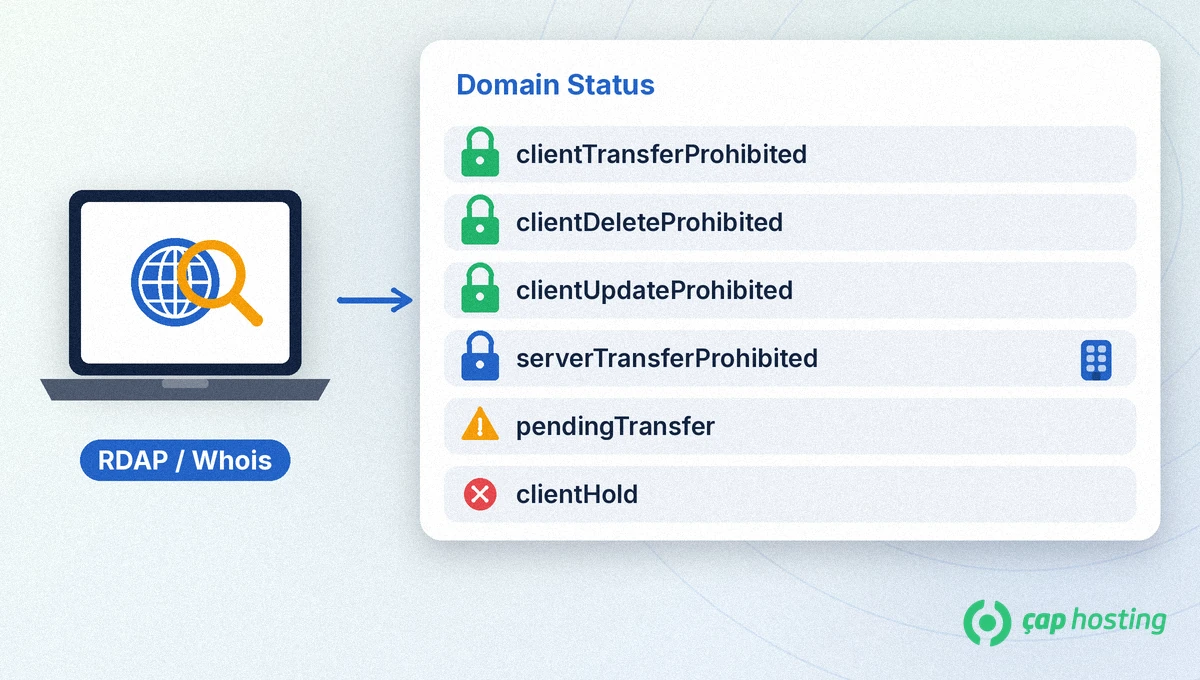
The easiest way to see them is the ICANN Lookup tool. Enter your domain and it lists the registrar, the expiry date and the status codes. The tool uses RDAP, the structured lookup protocol that replaces the older Whois. If you prefer the command line, an RDAP query for a .com domain looks like this:
curl https://rdap.verisign.com/com/v1/domain/example.comRDAP writes the codes with spaces, so you see client transfer prohibited instead of clientTransferProhibited. The meaning is the same.
The first word of a code tells you who set it:
| Code | Meaning | What to do |
|---|---|---|
ok / active | Standard status; no pending operations or restrictions. | Nothing. |
clientTransferProhibited | Transfer lock is on; the domain cannot move to another registrar. | Normal. Ask your registrar to remove it before a transfer. |
clientDeleteProhibited | Requests to delete the domain are rejected. | A normal protection code. |
clientUpdateProhibited | Requests to update the domain are rejected. | Must be removed before you change domain details. |
clientRenewProhibited | Renewal requests are rejected; uncommon. | Contact your registrar. |
clientHold | The domain is not active in the DNS; website and email stop working. | Contact your registrar right away. |
serverHold | The registry does not activate the domain in the DNS. | Ask your registrar for details. |
inactive | No name servers are assigned, so the domain does not resolve. | Add your name servers. |
pendingTransfer | A request to transfer the domain to a new registrar is being processed. | If you did not request it, ask your registrar to deny it. |
redemptionPeriod | The domain is in a 30-day recovery window after deletion was requested. | Contact your registrar immediately to restore it. |
pendingDelete | The recovery window has ended and the domain will be deleted. | Recovery is usually no longer possible. |
You may also see temporary codes such as addPeriod after a new registration or autoRenewPeriod after an automatic renewal. On their own they do not signal a problem.
pendingTransfer: If you did not start a transfer, ICANN advises you to contact your registrar immediately and ask them to deny the request.clientHold or serverHold: If your website and email are down, check these codes first. The reason can be payment, verification or a legal matter.redemptionPeriod: The domain has expired and entered the deletion cycle. According to ICANN this lasts 30 days; then pendingDelete starts and the domain is purged five calendar days later. Our article on what happens when a domain expires covers this in detail.clientTransferProhibited is missing and you are not planning a transfer, ask for the lock to be turned on.Before you move a domain, make sure the transfer lock has been removed and that no blocking code such as clientUpdateProhibited remains. Then get the transfer code and start the process; the steps are in our domain transfer guide. If the status shows inactive, check your name server settings. To control how your contact details are shown, see our guide to Whois privacy.
No. It means the transfer lock is on and it protects your domain against unauthorised transfers. It only needs to be removed when you want to transfer the domain yourself.
This code means the domain is not active in the DNS. Contact your registrar to find out why; usually an issue such as payment or verification has to be resolved.
Look up your domain in the ICANN Lookup tool, or check the Domain Status lines in an RDAP or Whois lookup.
No. These codes are set by the registry. Contact your registrar first; they will work with the registry if needed.
 Copyright © 2026 All Rights Reserved

 Turkey (Türkçe)
 Worldwide (English)