In short: Domain hijacking means someone takes control of your domain name without your permission. In most cases the attacker gets into your account at the domain registrar, changes the DNS records or transfers the domain to another registrar. The best protection is a strong password with two-factor authentication, a contact email on a different domain, a transfer lock that stays on, a secret transfer code and a renewal you actually keep track of.
Your domain is the shared key to your website, your business email and the address your customers use to find you. If you lose control of it, your site can be pointed to another server, your email can be read by someone else, and getting it back can take a long time. This article explains how domain hijacking happens and seven practical steps to prevent it.
Most hijacking cases do not rely on a clever technical flaw. They target the account and the contact chain around the domain. Common routes are:
What these routes have in common is that the attacker gains an identity that can act on your behalf. The steps below protect that identity and help you notice an unauthorised change in time.
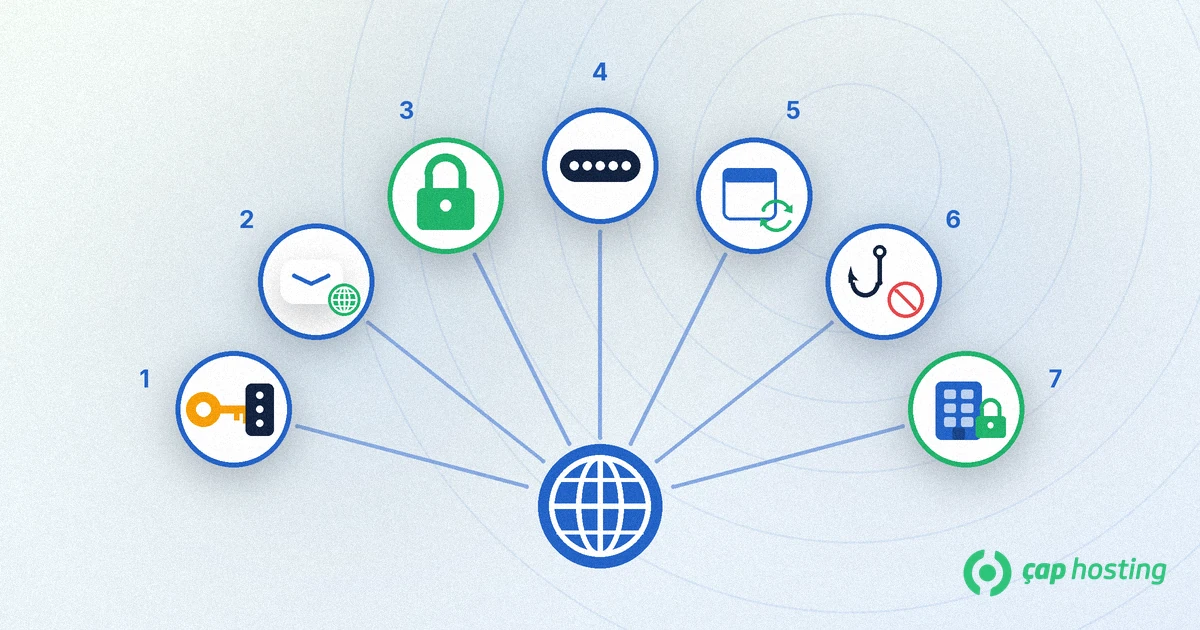
Use a long password for your registrar account that you use nowhere else, and keep it in a password manager. If your registrar supports two-factor authentication (2FA), turn it on. In its guide to multi-factor authentication, the US cybersecurity agency CISA recommends using the strongest method available, especially phishing-resistant options.
If the email address on your domain account lives on the same domain you are protecting, you create a loop: when the domain or its DNS breaks, the password reset email cannot reach you. Use an address on a different domain, protect it with 2FA as well, and check from time to time that it is still current.
The transfer lock appears in your domain's status as clientTransferProhibited and stops the domain from being moved to another registrar. Under the ICANN Transfer Policy, the registrar must remove this lock and provide the transfer code when the owner asks for it. Only unlock the domain when you really plan a transfer and check the status again afterwards. Our step-by-step domain transfer guide covers the process.
The EPP or AuthInfo code proves ownership when a domain moves to another registrar, and it is unique for each domain. Do not pass it around by email or leave screenshots of it in shared folders. If your registrar lets you regenerate the code after a transfer, do so.
A domain that is not renewed is first suspended, then enters a recovery window and is finally released for anyone to register. Turn on auto-renew, keep the stored payment method valid and put the expiry date in your calendar. Our article on what happens when a domain expires explains the stages.
Do not click links in urgent emails such as "your domain has expired" or "your account is suspended". Always open the registrar panel by typing the address yourself. Keep a copy of your DNS records and question any change you did not make. Our guide to DNS records explains what each record does, and DNSSEC adds a layer of protection against forged DNS answers.
Registry lock applies the lock at the registry that runs the domain extension instead of at the registrar. It shows up as serverTransferProhibited, serverUpdateProhibited and serverDeleteProhibited. According to ICANN's EPP status codes page, server codes are set by registries and take precedence over client codes. It is not offered for every extension or by every registrar, so ask about it for critical domains such as your main brand.
Enter your domain in the ICANN Lookup tool to see its status codes, registrar and expiry date. A short checklist:
| Check | What you want to see |
|---|---|
| Transfer lock | clientTransferProhibited is listed in the status |
| Expiry date | Comfortably in the future, auto-renew turned on |
| Account login | Unique password and two-factor authentication on |
| Contact email | On a different domain, current and reachable |
| Name servers and DNS | Pointing to the servers and records you expect |
If you do not want your personal contact details to be public, read about Whois privacy too. It reduces the information an attacker can use for social engineering.
pendingTransfer status you did not request, ask them to deny the transfer.The sooner you act, the shorter the recovery usually is, so do not ignore unexpected notification emails.
Most often through a compromised registrar account or a compromised contact email. Weak or reused passwords and phishing emails are the most common starting points.
Look up your domain in a tool such as ICANN Lookup and check the status codes. If clientTransferProhibited is listed, the lock is on and transfers are blocked.
If the transfer lock is off and the other confirmations are passed, the domain could be moved to another registrar. Keep the code secret and only remove the lock during a transfer you started.
No. It is an extra layer that is not offered for every extension. It makes sense for domains whose loss would seriously hurt the business, such as your main brand.
 Copyright © 2026 All Rights Reserved

 Turkey (Türkçe)
 Worldwide (English)