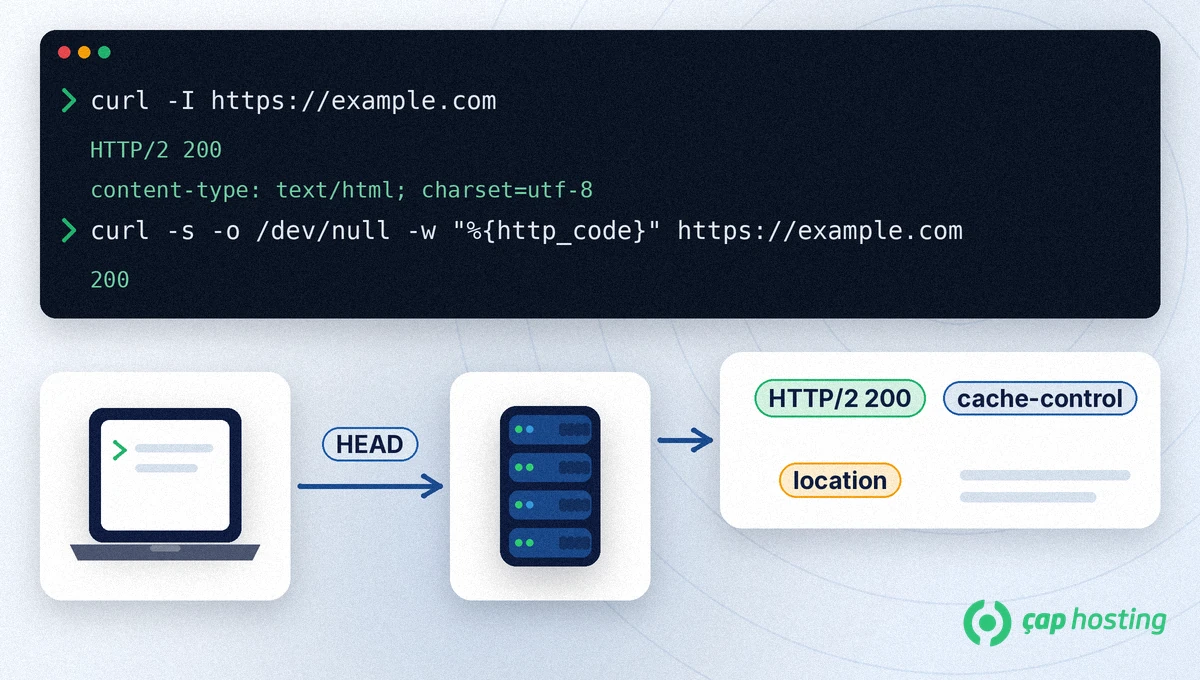
In short: To check HTTP headers with curl, type curl -I https://yourdomain.com in a terminal. The command sends the server a HEAD request that asks only for the headers; the first line of the output shows the status code and the following lines show redirect, cache and security headers. Because the browser cache is not involved, it gives a quick, neutral answer to "why can't I see my change?".
curl is a free command-line tool that sends a request to an address and shows the server's answer. Windows 10 version 17063 and later include curl, and it runs directly from Command Prompt. In Windows PowerShell, typing curl may run a different command, so type curl.exe there. On macOS use the Terminal app, on Linux any terminal; if it is missing, add it with your distribution's package manager.
curl -I https://yourdomain.comHTTP/2 200; each line below holds one header and its value.-L, curl follows the Location header of a 3xx answer, repeats the request and shows the headers of every step:
curl -IL http://yourdomain.comcurl -s -o /dev/null -w "%{http_code}" https://yourdomain.comcurl -s -D - -o /dev/null https://yourdomain.com| Header | What it tells you | What to check |
|---|---|---|
| Status line (HTTP/2 200) | The result of the request | 200 means fine, 301/302 a redirect, 404 not found, 5xx a server error; see our HTTP status codes guide for details. |
| location | Where a redirect points | Check that the target is the right domain and uses https; for setting up permanent redirects see our 301 redirect article. |
| cache-control | Caching instructions for browsers and intermediaries | If a change does not show, this tells you how long the page is kept in cache. |
| content-type | Type and character set of the content | Check the charset value when special characters look broken. |
| strict-transport-security, x-content-type-options, x-frame-options | Security headers | Confirms which ones are actually sent; see our HTTP security headers article for what they mean. |
| server, cf-cache-status | The server or intermediary that answered | On sites behind Cloudflare, cf-cache-status shows whether the page came from Cloudflare's cache. |
--resolve option points the domain at an IP address you choose and works like a one-command hosts file:
curl -I --resolve yourdomain.com:443:NEW_SERVER_IP https://yourdomain.com-k skips this check; use it only for deliberate tests. To check when a certificate expires, see checking SSL certificate expiry.-v option shows the whole exchange, marking headers sent with > and headers received with <.The official description of every option is in the curl manual.
The browser may show the page from its own cache and sends cookies, while curl makes a fresh request every time. curl -I is also a HEAD request, and some applications answer it differently. To be sure, also check with a normal request using curl -s -D - -o /dev/null.
Windows 10 version 17063 and later include curl. In PowerShell, type curl.exe instead of curl. On an older Windows version you need to download curl from its official website.
Partly. The server header can show the software or intermediary; sites behind Cloudflare show server: cloudflare. The -v option also prints the IP address curl connected to.
 Copyright © 2026 All Rights Reserved

 Turkey (Türkçe)
 Worldwide (English)